Stop Checking Email: How I Automate Inbox Zero for Founders
If you are a Founder or Agency Owner, your inbox is likely your biggest source of anxiety.
You check it first thing in the morning. You check it between meetings. You check it before bed. You are terrified that a Series A investor update, a major client request, or a critical invoice is going to get buried under 50 newsletters and cold sales pitches.
Most Virtual Assistants try to fix this by "monitoring" your inbox. They read everything. They label things. They work harder.
I don't believe in working harder. I believe in better architecture.
As a Tech-focused Executive VA, I treat email as a data stream, not a letter. And like any data stream, it can be routed, filtered, and automated.
Here is the exact "Inbox Triage Pipeline" I build for my clients to ensure they never miss a high-priority email again.
The Problem: The Inbox is a Terrible To-Do List
The moment you open Gmail, you are in reactive mode. You are letting other people dictate your priorities.
When you try to manage tasks inside Gmail, you lose context. "Catch up next week?" isn't just an email; it's a task that needs a date, a priority level, and a status. Gmail doesn't have those fields.
Notion does.
The Solution: The Gmail to Notion Bridge
I built a system that acts as a "Digital Bouncer" for your attention. It uses Zapier to connect the logic of Gmail with the structure of Notion.
Here is how I built it (and how it works for my clients).
Step 1: The Logic Layer (Gmail)
Automation is dangerous if you automate everything. If we sent every spam email to Notion, we'd just be moving the mess from one room to another.
I use Boolean Search Operators in Gmail to define exactly what matters.
For this workflow, I set the trigger to only catch emails that match specific, high-value criteria:
- From: Key Investors or VIP Clients
- Subject: Contains "Invoice", "Urgent", or "Proposal"
Step 2: The API Bridge (Zapier)
Once the criteria are met, Zapier acts as the bridge. It captures the email data instantly—before you even open your phone.
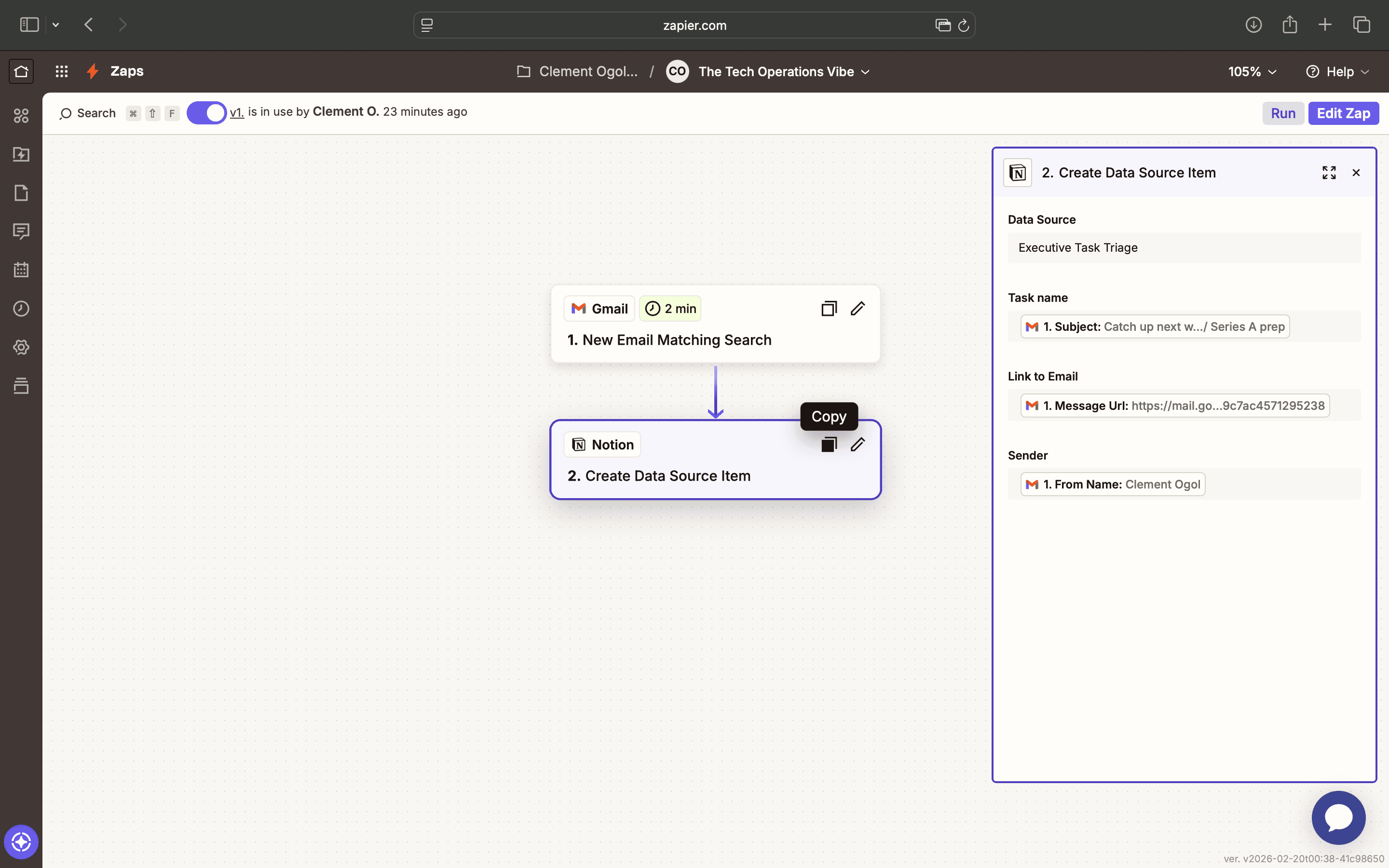
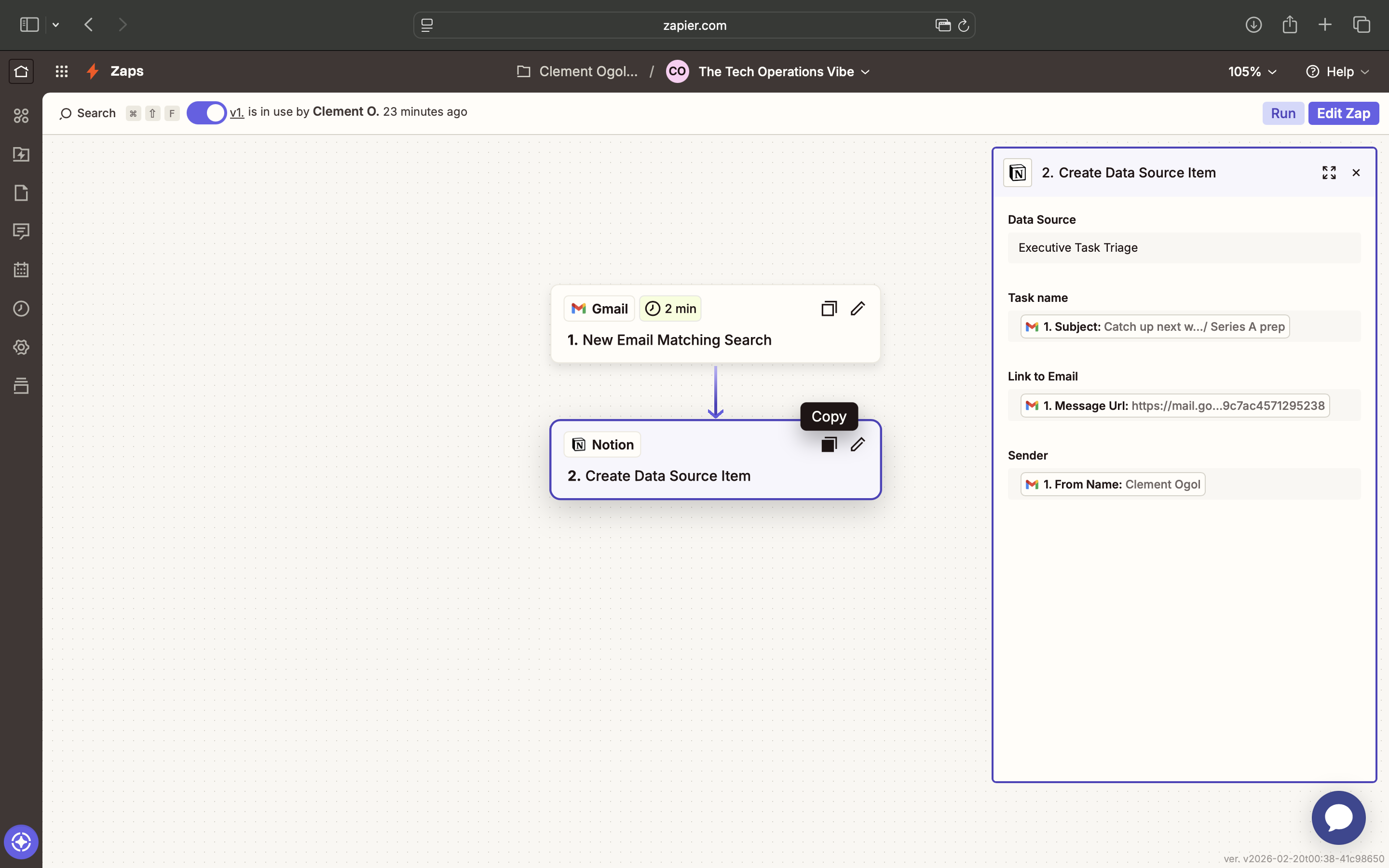
As you can see in the backend view above, the system runs every 2 minutes. It is constantly scanning for those high-priority signals we defined.
Step 3: The Dashboard (Notion)
This is the "Result." This is what my clients see.
Instead of wading through a messy inbox, they open their Executive Task Triage board in Notion.
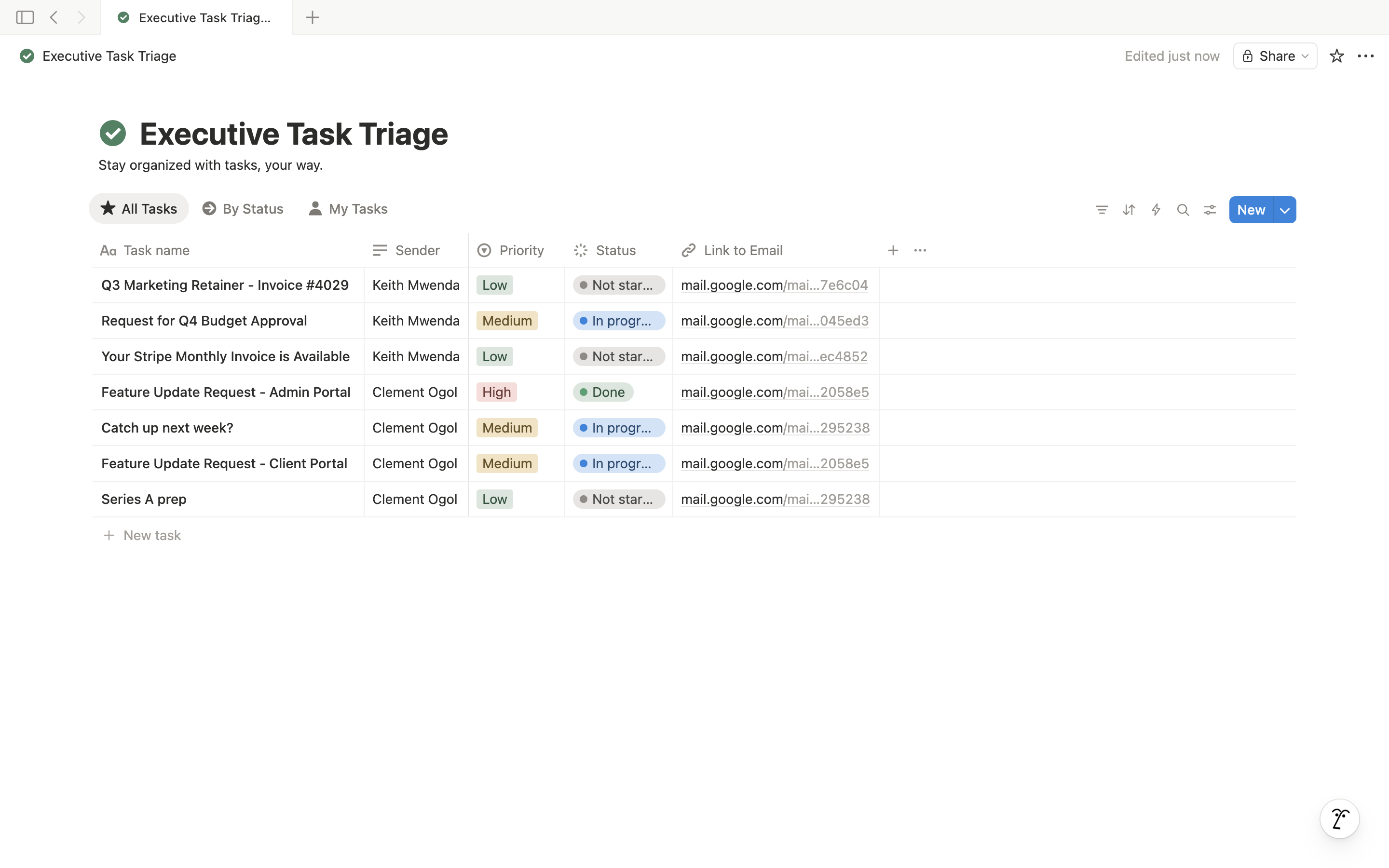
Look at the data in the screenshot above:
- Task Name: The subject line becomes the task title.
- Sender: I can instantly see who it is from (e.g., Clement Ogol, Keith Mwenda).
- Link to Email: This is the best part. I formatted this column as a URL. When the client is ready to reply, they just click that link, and it opens that specific email directly in Gmail.
- Priority: We automatically tag these as "High" or "Medium" based on the sender.
The Outcome
This system changes the psychology of how you work.
- You stop reacting. You know that if it's important, it's on the board.
- You stop searching. No more "Where is that invoice?" It's in the database.
- You save time. My clients save an average of 5-7 hours per week just by switching from "Inbox checking" to "Task processing."
You don't need to hire more people to manage your chaos. You need to hire someone who understands how to engineer a system that eliminates it.
Is your operational stack slowing you down? I specialize in helping Series A Founders and Agency Owners streamline their digital lives.
Book a Discovery Call and let's audit your workflow.